Register Microsoft Teams Application
This procedure describes how to register the Microsoft Teams application that is used for retrieving Call Notifications for the managed Microsoft Teams tenant.
| ➢ | To register the application: |
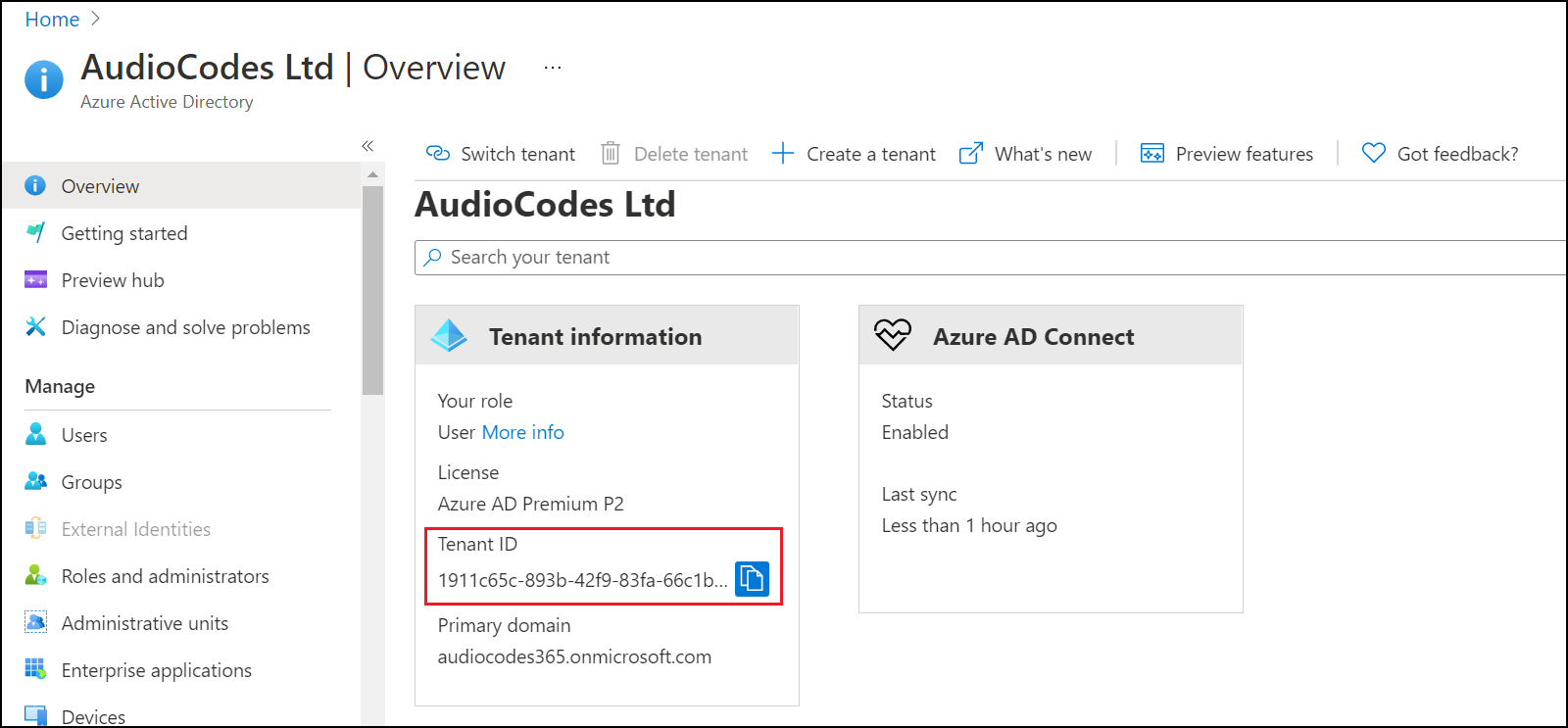
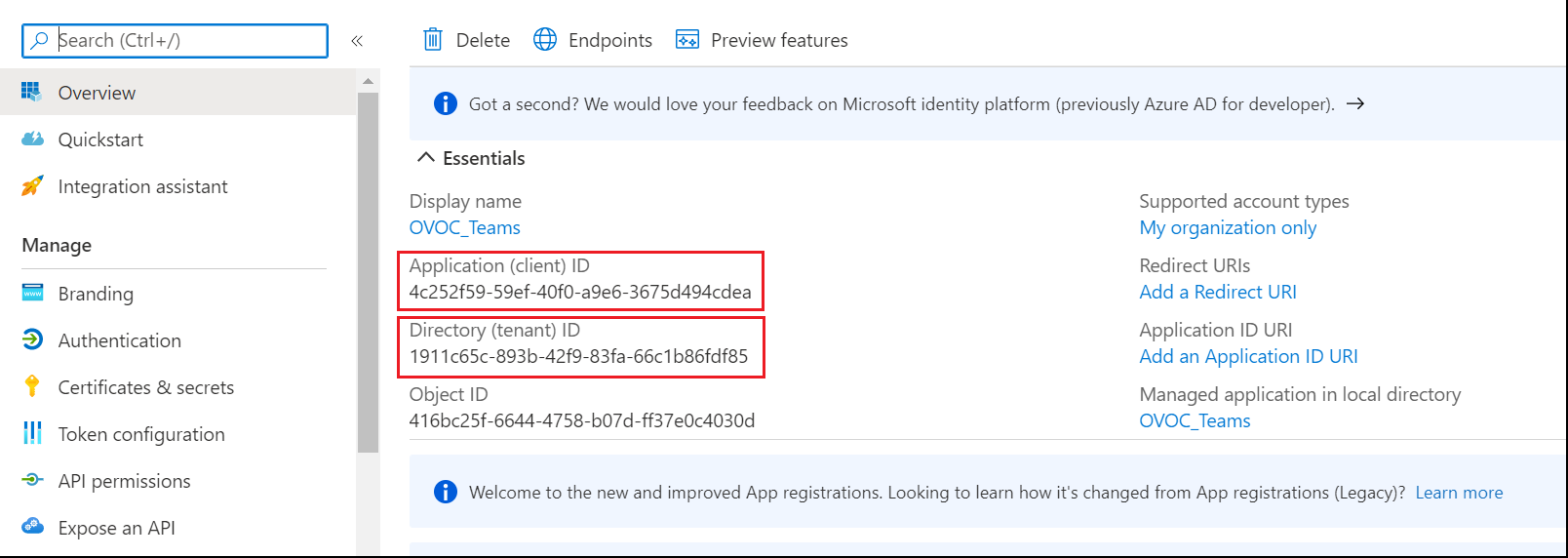
| 1. | Open the Azure Portal, the Overview page is displayed with the Tenant ID of the managed Teams tenant. |
Tenant ID
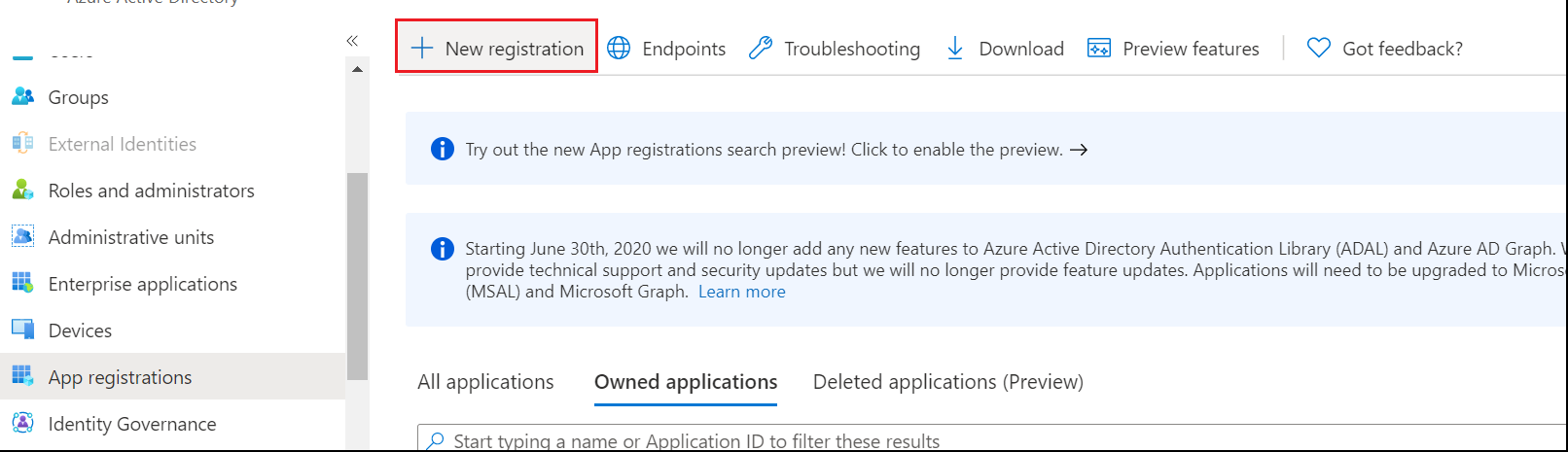
| 2. | In the Navigation pane, select App registrations. |
App Registrations

| 3. | Click New registration. |
New registration
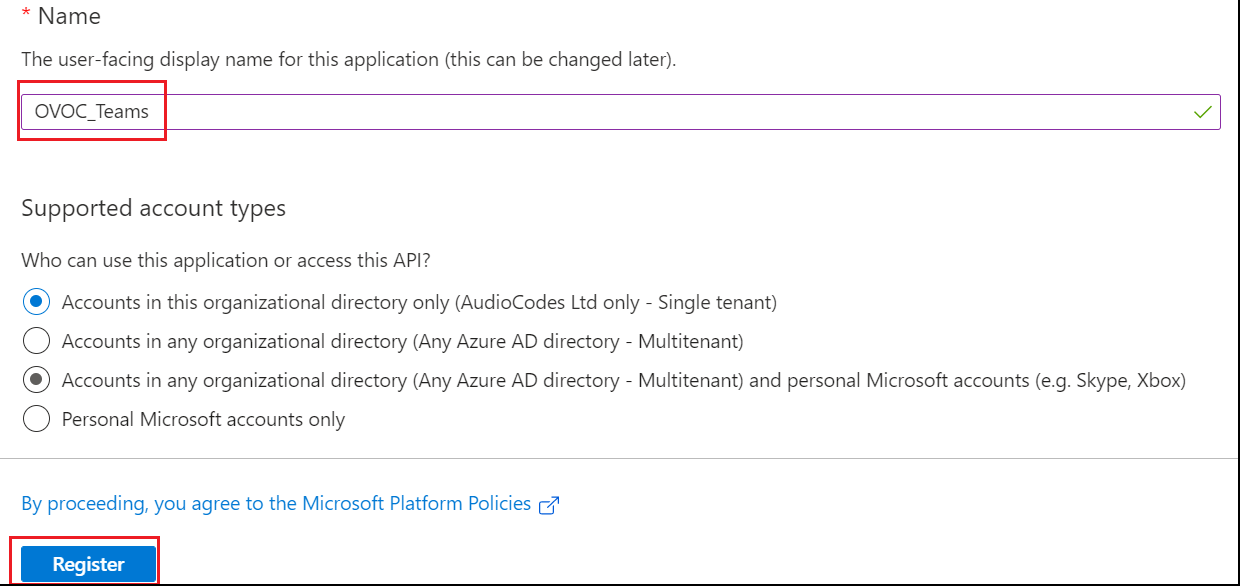
| 4. | Enter the name of the application and then click Register. |
Name the application
Successful Registration
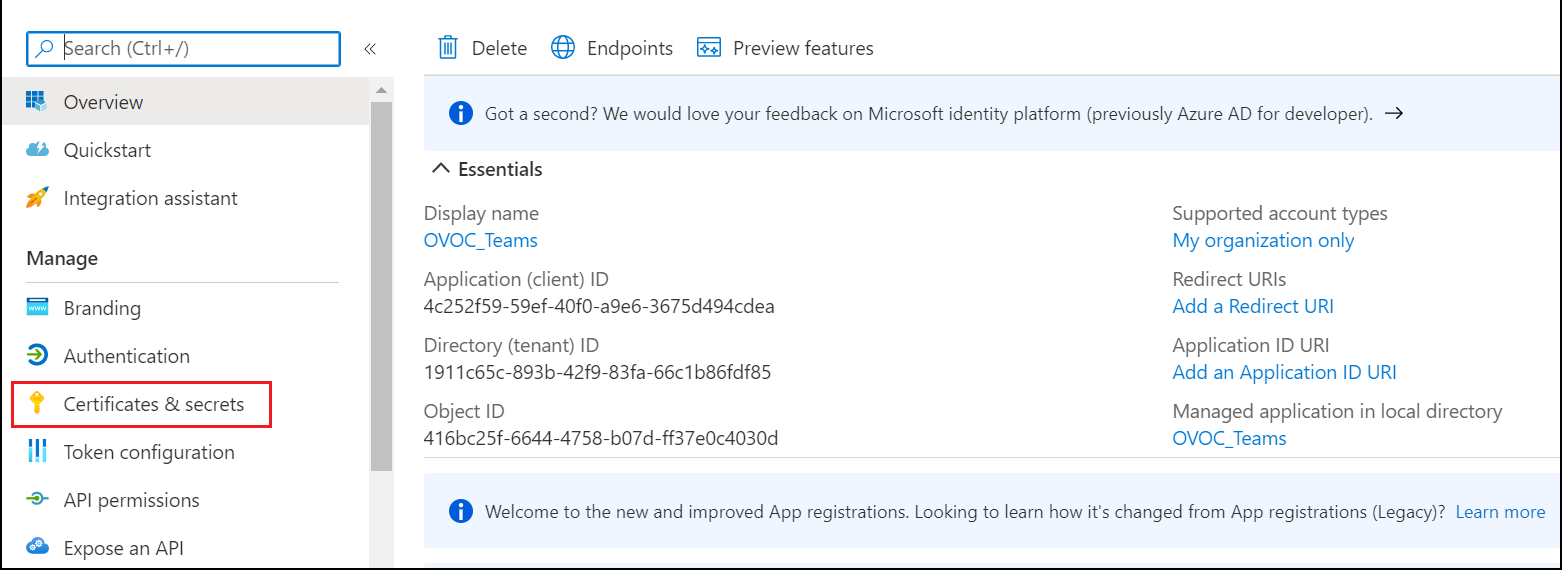
| 5. | In the Navigation pane select Certificate & Secrets. |
Certificate & Secrets
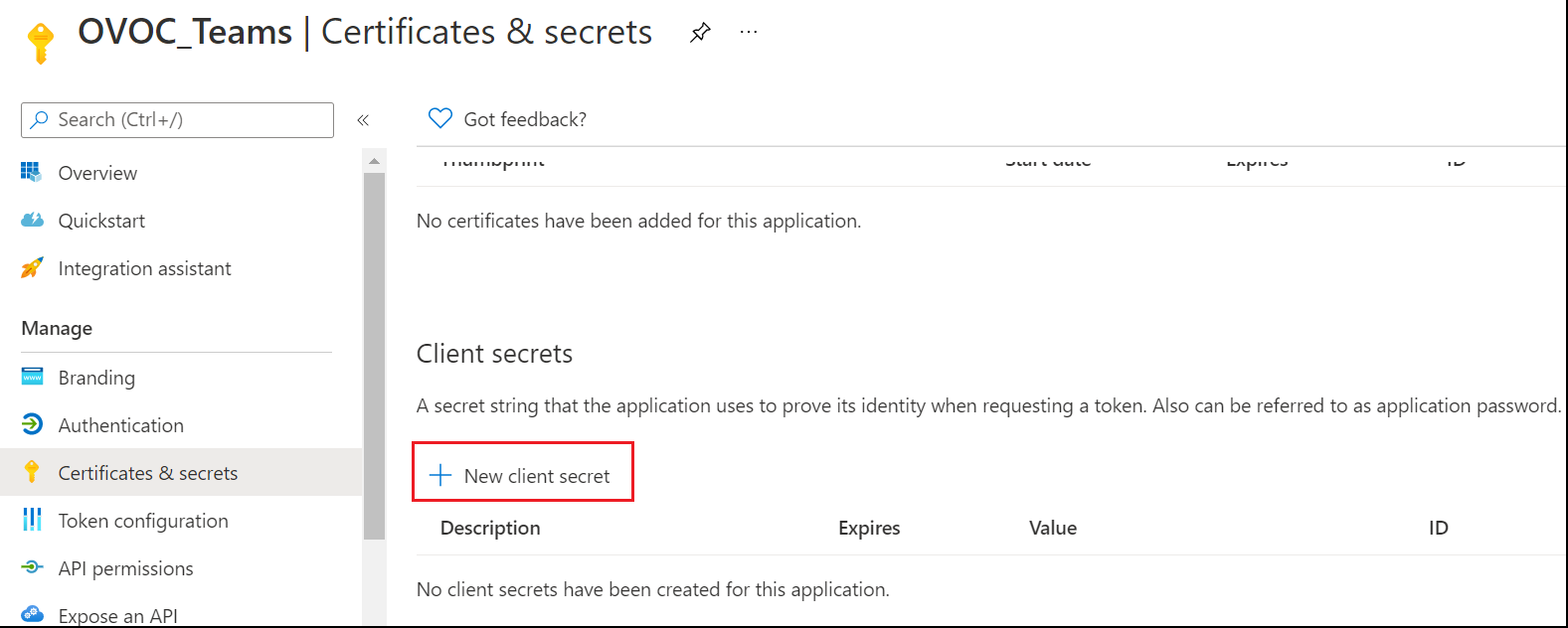
| 6. | Click New client secret. |
New Client Secret
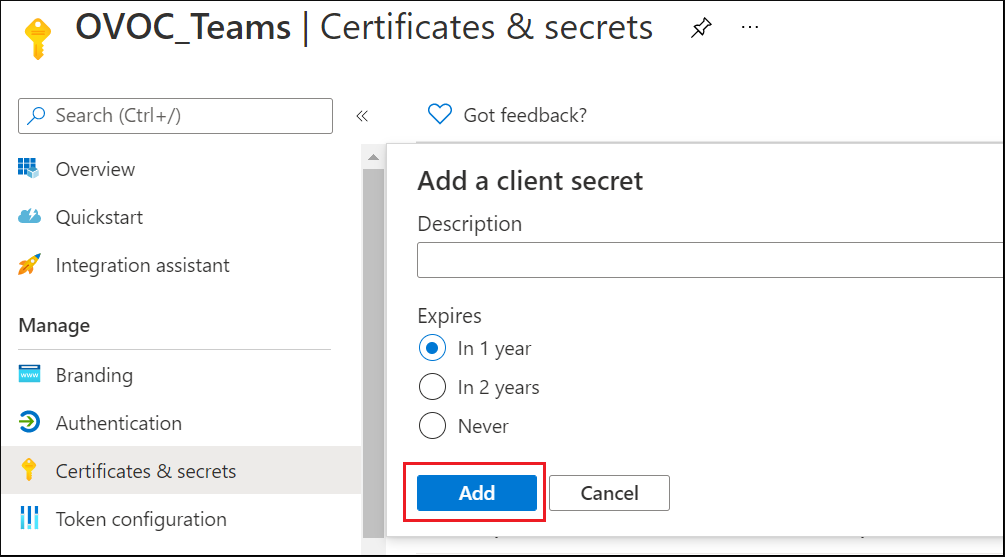
| 7. | Click Add. |
The newly added client secret is added as shown in the figure below.
Add a client secret
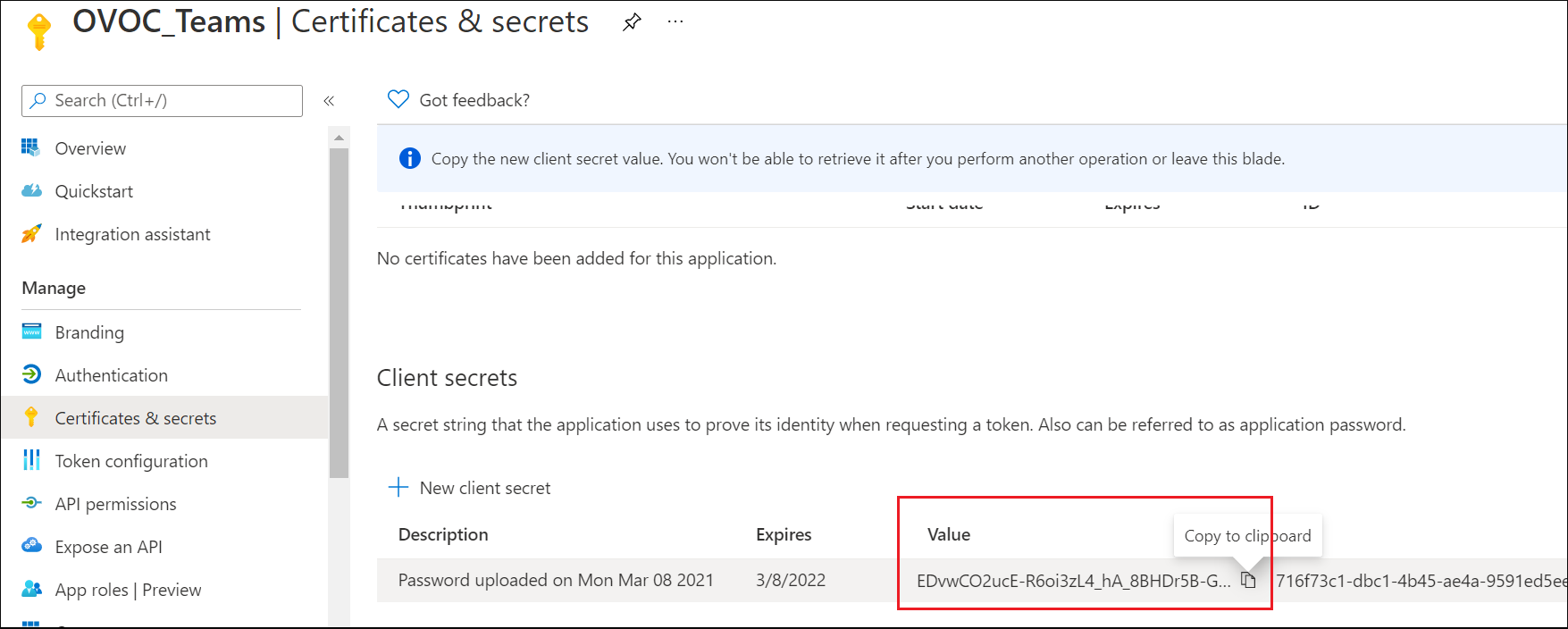
| 8. | The client secret is added as shown in the screen below. Copy it to the clipboard as you will be required to enter it in later configuration. |
Added Certificates & Secrets